
If you’re considering rentals in Seattle or looking at homes for sale in Round Rock, this Redfin article dives into how you can enhance your living space without breaking the bank using budget-friendly smart home devices and techniques.
Smart home technology offers convenience, security, and significant energy savings. Selecting the right products and implementing them wisely is crucial for a cost-effective upgrade. By following these seven essential steps, anyone can smoothly transform their house into a smarter, more efficient home.
1. Explore companion apps
Many smart home devices require a dedicated companion app for setup and management. Roman Bord, co-founder of Stormotion recommends, “Before investing in a smart home device, assess the usability of companion apps.” Test smart home apps if possible, or review user feedback on ease of use, reliability, and features. A well-designed application can enhance the functionality of a smart home device.
Bord emphasizes, “A well-crafted app enables you to establish a smart home ecosystem throughout your residence and derive lasting value from your devices.” Look for apps that offer centralized control, clear setup instructions, and regular updates for security and compatibility.
2. Select the right smart hub
A smart hub serves as the central hub for your connected devices, enabling them to communicate effectively. Choosing the appropriate hub is essential for creating a cohesive and cost-effective ecosystem. Rob Wassink from Qub suggests “opting for devices that utilize open standards like WiFi or Zigbee to avoid being locked into a single ecosystem and allow for gradual expansion.”
Popular platforms like Amazon Alexa, Google Home, and Apple HomeKit offer different levels of compatibility and features. Choose a hub that supports the communication protocols of your intended devices to prevent compatibility issues down the line.
Kevin McAleer of Kev’s Robots mentions the availability of alternative assistants beyond major brands and recommends Home Assistant Green for an open-source smart home hub.
3. Shop for smart home products
When shopping for budget-friendly smart home devices, prioritize foundational devices that offer the greatest utility and efficiency, such as:
- Smart lights. Begin with smart bulbs in frequently used areas to control lighting remotely and establish schedules. Dennis, the founder of VerLuce, notes how “smart under cabinet lights can completely transform your kitchen ambiance.” He recommends setting up “daily routines through your smart home app to automatically adjust your cabinet lights to your preferred color temperature and brightness.”
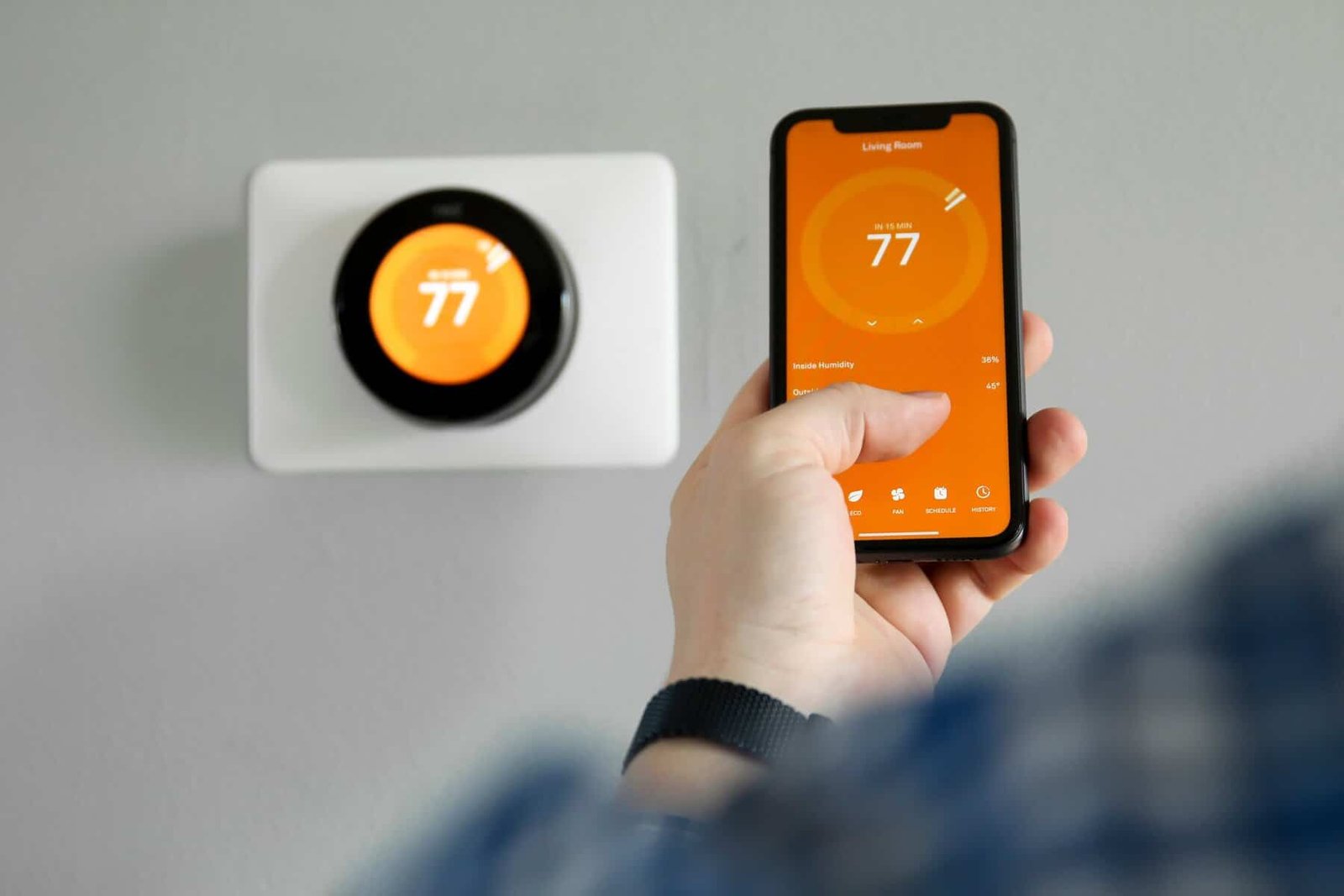
- Smart thermostats. These devices learn your habits and adjust temperatures automatically, leading to significant savings on heating and cooling expenses.
- Smart switches and plugs. Convert existing non-smart appliances (like lamps or coffee makers) into connected devices without replacement.
- Air purifiers: Automate air quality management based on the time of day or internal air sensors.
- Embrace open standards. Prioritize devices that support current open connectivity standards like Matter and Thread to ensure long-term compatibility across different ecosystems.
- Monitor Sales. Affordable devices are often discounted during major retail events, offering opportunities to expand your setup at a lower cost.
When it comes to creating a space where smart devices truly excel, Home-A-Genius suggests, “Most homeowners don’t start with a fully automated home right away. They usually begin with a few key devices that make an immediate difference.” Some of Home-A-Genius’s recommended devices include Philips Hue smart lights and a Home-A-Genius Smart Switch.
4. Install devices and set up shortcuts and timers
Proper installation is essential for optimal performance. Once installed, leverage automation features immediately. Rob Skuba from National Smart Home explains how your home can have “lights that adjust seamlessly, music playing as you enter,” and how you can create a “home that responds rather than being managed.” Utilizing a companion app or smart hub interface enables you to:
- Set timers. Schedule lights and thermostats to turn off or adjust according to your typical sleep or absence patterns.
- Create shortcuts (routines). Establish routines like a “Good Morning” shortcut that raises the thermostat, turns on a light, and starts brewing coffee with a single voice command.
- Implement geofencing. Use location services to automatically adjust your smart devices upon arrival or departure, maximizing energy efficiency.
5. Secure your setup: Essential smart home security tips
Securing your smart home is vital, even on a budget. All connected devices pose a potential security risk. Follow these guidelines to ensure a secure setup:
- Utilize strong passwords: Change default passwords on new devices immediately. Use unique, complex passwords for your Wi-Fi network and device accounts.
- Enable two-factor authentication (2FA): When available, 2FA adds an extra layer of security to your device accounts.
- Isolate devices: If feasible, place smart devices on a separate guest or IoT network to separate them from your main computers and sensitive information.
6. Future-proofing your home: Seamless integration of new devices
A budget-conscious approach doesn’t mean sacrificing future expansion. Plan your smart home with scalability in mind:
- Select compatible brands. Stick to brands known for cross-platform support and ongoing software updates.
- Gradual investment. Instead of purchasing numerous low-cost, unconnected devices at once, invest in high-quality core pieces that can integrate with various products as your budget allows.
- Evaluate new protocols. Stay informed about connectivity standards like Matter that promise easier integration across different manufacturers, facilitating hassle-free future integrations.
7. Maximize savings: Utilize automation for energy efficiency
The real savings from smart homes come through automation. Use your devices to reduce wasted energy:
- Optimize thermostat settings. Fine-tune your smart thermostat’s scheduling features to avoid heating or cooling an empty house. Every degree adjustment can lead to savings on utility bills.
- Automate power-consuming devices. Utilize smart plugs to cut off power completely to devices that consume standby power when not in use (e.g., entertainment systems, chargers).
- Monitor usage data. Use the energy monitoring features available in smart plugs and companion apps to identify high-power-consuming devices and adjust their usage patterns accordingly.
>> Read: Future-Proof Your Home: 2026 Smart Home Energy Management Ideas
Now you’re prepared to automate your home
Smart home devices offer a practical way to enhance your home’s functionality and value without a significant investment. By strategically choosing budget-friendly smart home devices and techniques that prioritize compatibility, security, and energy efficiency, you can create a genuinely intelligent and cost-effective living environment.
>> You may also like reading Does Smart Home Automation Increase Home Value?